Every RFQ and closing date on one screen.
rfqdesk keeps your team's EOIs, RFQs and offers in one place, sorted by what closes next, so nothing passes its deadline without a submission.
A short walkthrough, using the way your team works today.
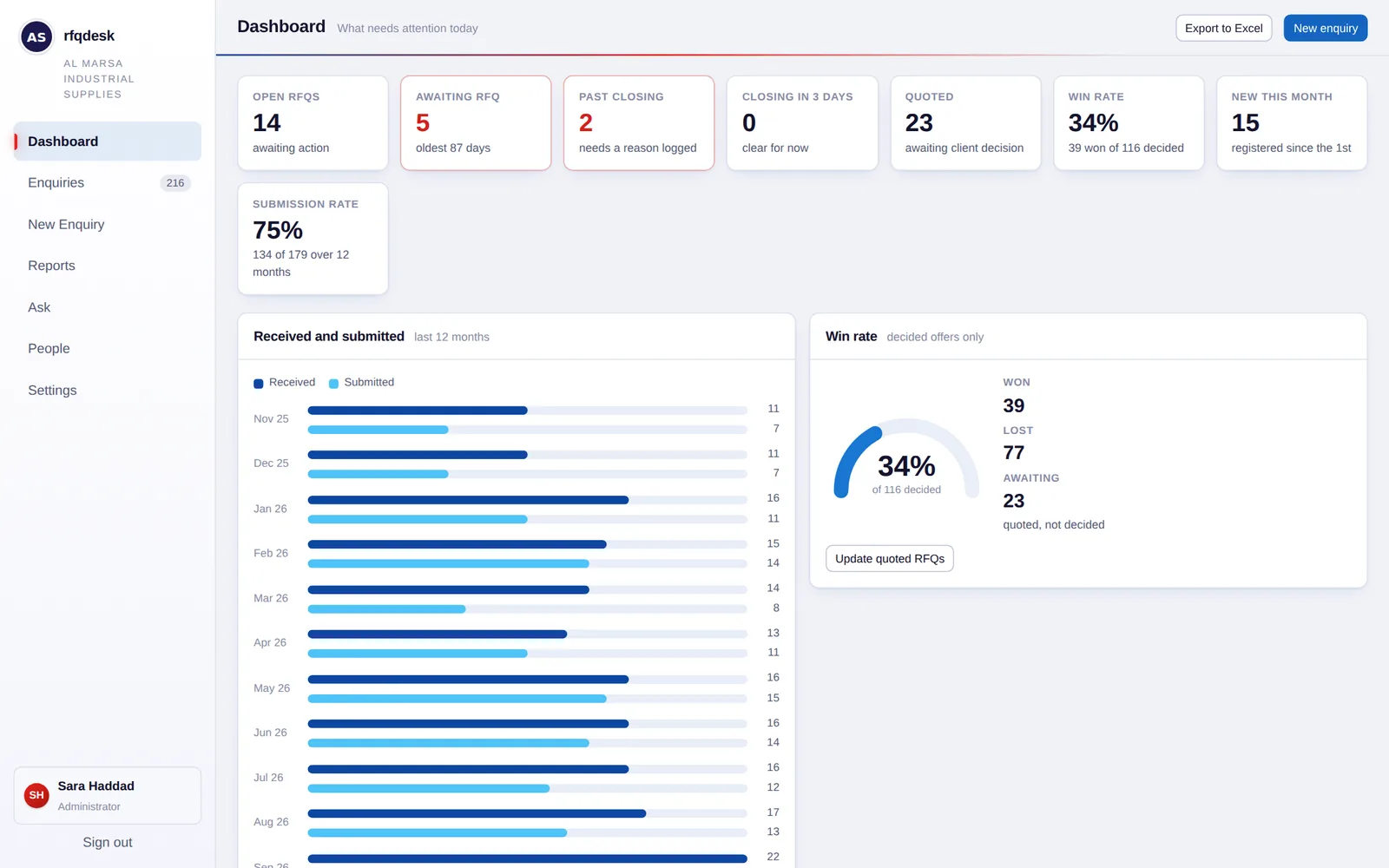
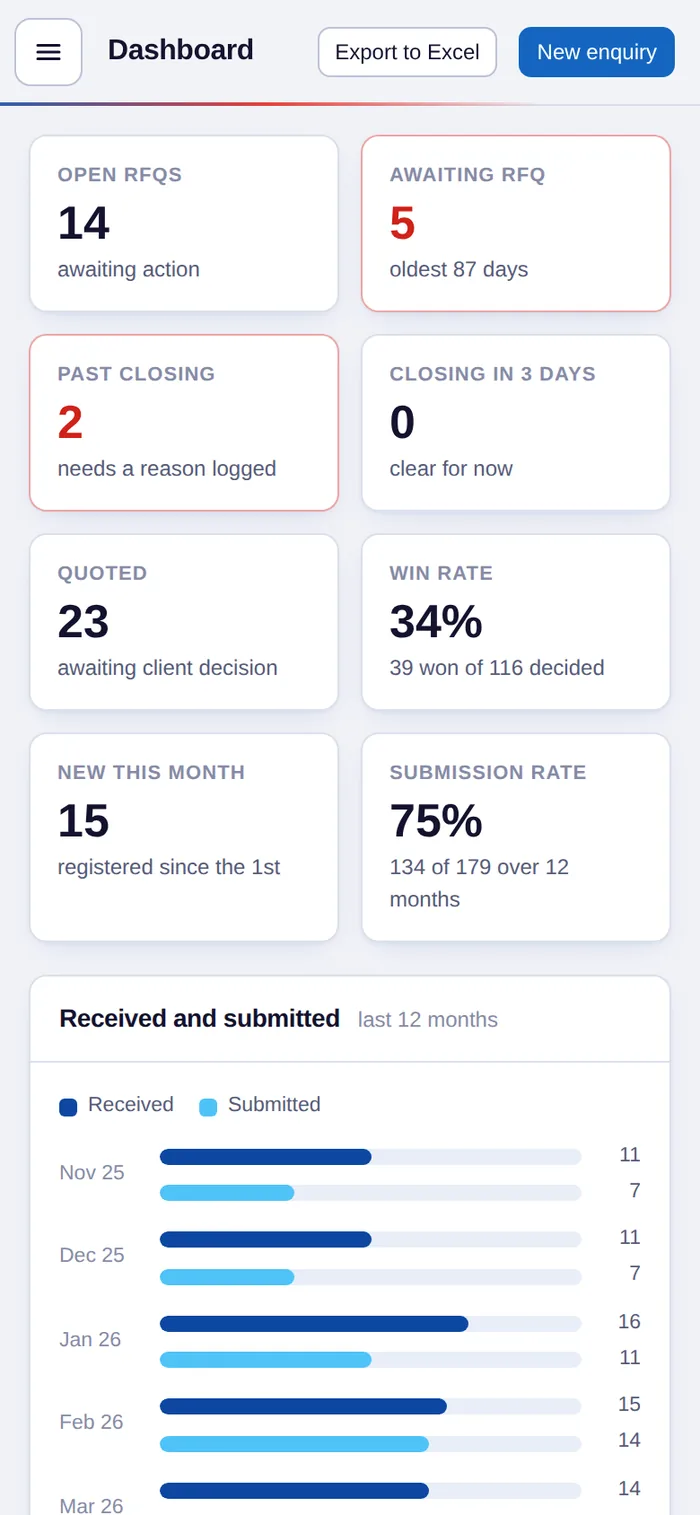
Not just another CRM. rfqdesk is built by an industry veteran, tailored for oil & gas companies working in Abu Dhabi.
It follows the way bids really move here: from EOI and Pre-RFT to the RFQ, the supplier's quote, the closing date and the client's decision, with the reasons a bid is won or lost, ICV included.
- EOIs, Pre-RFT and RFQs tracked in one place
- Closing dates first, overdue bids in red
- Won and lost, with the reason, ICV included
- Set up for you, with nothing to install
What rfqdesk brings to your business
Access to RFQs and reports anywhere
Your enquiries, deadlines and reports are in the browser on your phone, tablet or laptop, whether you're in the office, at a client's or on site.
Better visibility on business enquiries
See every open RFQ, every EOI waiting for its RFQ and every offer waiting on a decision in one place, for the whole team.
Better customer response, and hence more business
Nothing slips past its closing date, so more offers go in on time and clients get faster answers. More bids on time means more business won.
Built around how bids are actually won and lost
Every screen is built around closing dates, EOIs, offers and the reasons behind each result.
Closing dates first
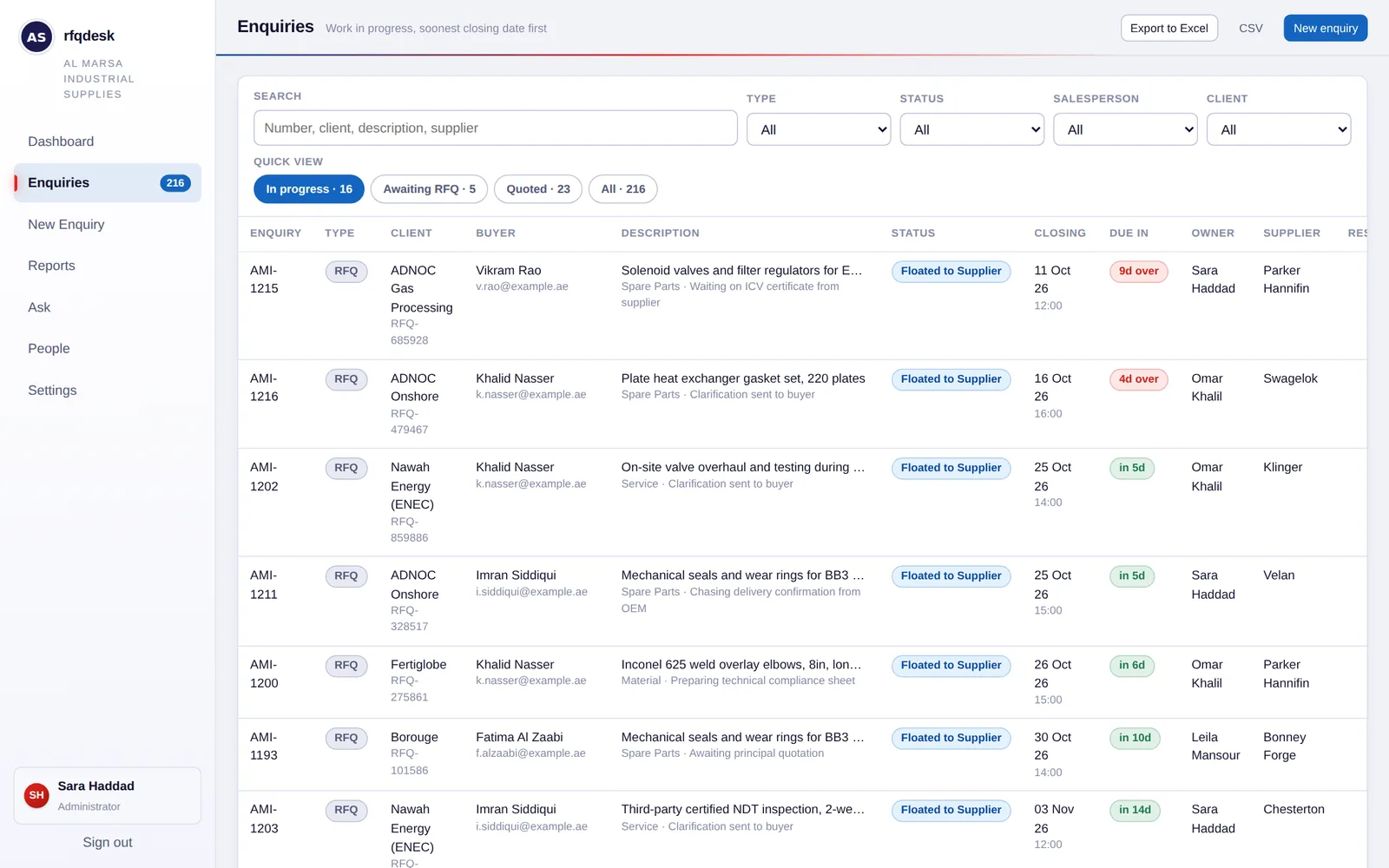
Your list opens on the work still in progress, with the soonest deadline at the top. Anything overdue turns red; anything due within three days turns amber.
From EOI to RFQ
Track EOIs through confirmation and Pre-RFT. rfqdesk flags any confirmed EOI that is still waiting for its RFQ, so it can be chased before the window passes.
Won, lost, and why
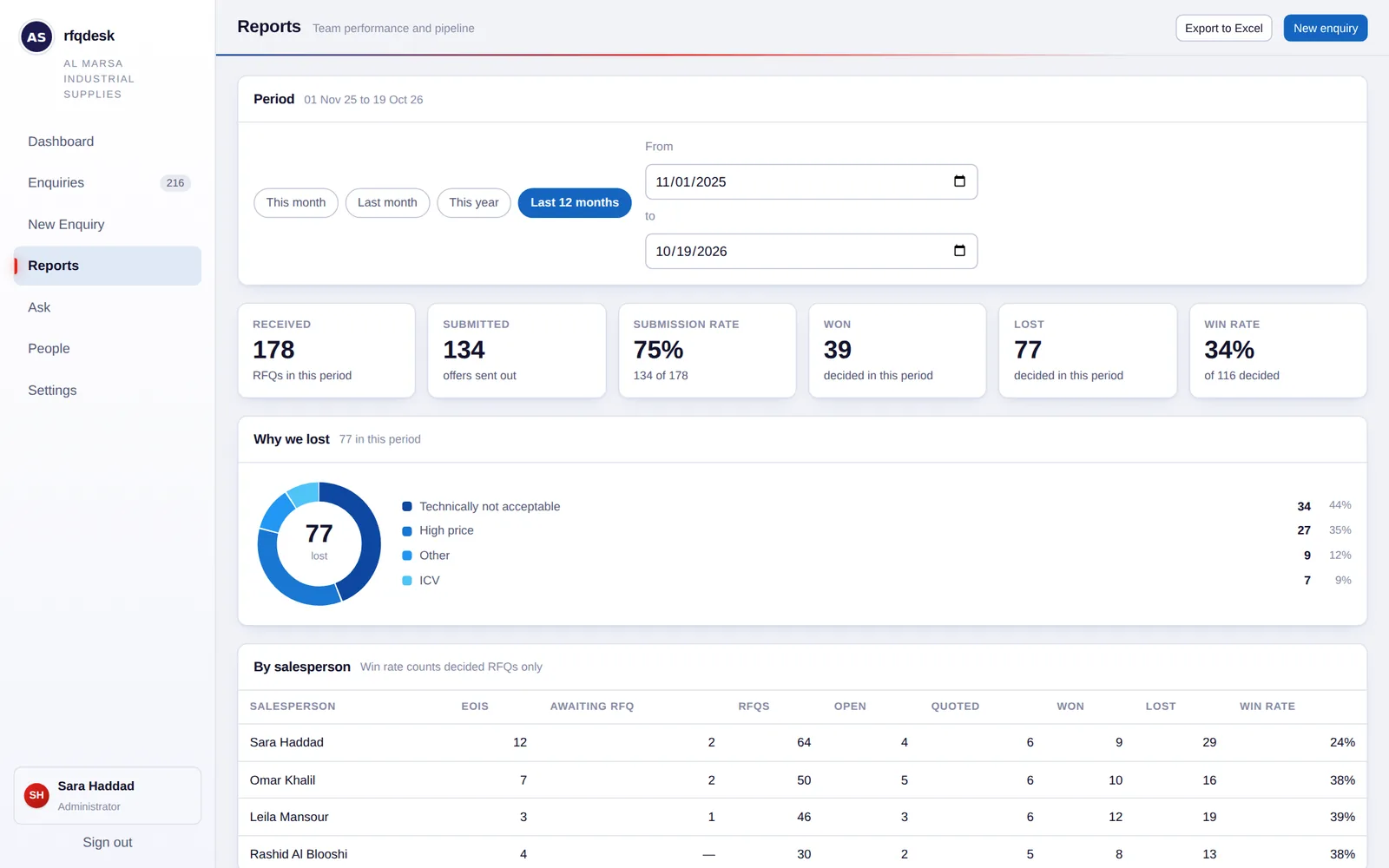
Mark each quoted RFQ won or lost in one click. Lost bids record the reason: high price, technically not acceptable, ICV, or your own note.
Your submission rate
RFQs received against offers submitted, month by month for the whole year. You can see how much of what comes in your team actually bids on.
Reports for any period
Results by salesperson and by client, why bids were lost, and intake by month. Pick this month, last month, this year or your own dates, then export to Excel.
Your own private workspace
Your company gets its own private workspace. Your team signs in at portal.rfqdesk.ae with their own accounts and lands straight in it. No other company can see your enquiries.
The screens your team will use every day
Shown here with a sample workspace filled with a year of invented enquiries. Names are blurred.
One simple price for your whole team
No per-user charges. We set up your workspace and your team's accounts for you, so you don't need an IT department.
- Up to 5 users
- Your own private workspace for your team
- Every feature, including reports and Excel export
- Works on phone, tablet and desktop
- We set everything up for you
See rfqdesk with your own bids
We'll walk you through it using the way your team works today. Choose whichever is easiest:
Or fill in the form, and we'll get back to you within one working day.
Before you ask
Do we need IT staff to set it up?
No. We create your workspace and your team's accounts. Your team opens portal.rfqdesk.ae in a browser and signs in. There's nothing to install.
Can we try it before we buy?
Yes. Book a demo and we'll walk you through rfqdesk using the way your team works. If you'd like to try it yourself afterwards, ask us and we'll give you access to a sample workspace.
How many people can use it?
Up to 5 users per company, all included in the one price. Each person gets their own sign-in, and you choose who can edit and who can only view.
Does it work on a phone?
Yes. rfqdesk works in the browser on phones, tablets and desktops, so you can check what's closing today while you're away from your desk.